AI built for scientific figures
No more endless prompting. Meet Leo, the AI agent that plans and refines with you, plus tools to quickly customize any icon or image.
Free to try. Upgrade anytime with a paid BioRender plan.



Say goodbye to endless prompting
Leo by BioRender helps you plan, sketch, and build better scientific figures in minutes, keeping every element editable.
Generate figures you can break apart into editable elements
Describe what you need or upload a reference image and have BioRender AI generate figures in seconds, then refine text, images, lines, arrows, and shapes without starting over.
Give any visual a cohesive BioRender style
Upload any image – photos, screenshots, or references – and use BioRender AI to convert them instantly into clean, BioRender-style visuals that keep your figures consistent and easy to interpret.
Fix what’s wrong without breaking what’s right
Use custom prompts with BioRender AI to make targeted edits to any icon or figure element, precisely matching your science, no matter how novel or unconventional.
Create a first draft
Describe what you need, and BioRender AI assembles a first draft of flowcharts, protocols, or timelines that you can refine and edit.
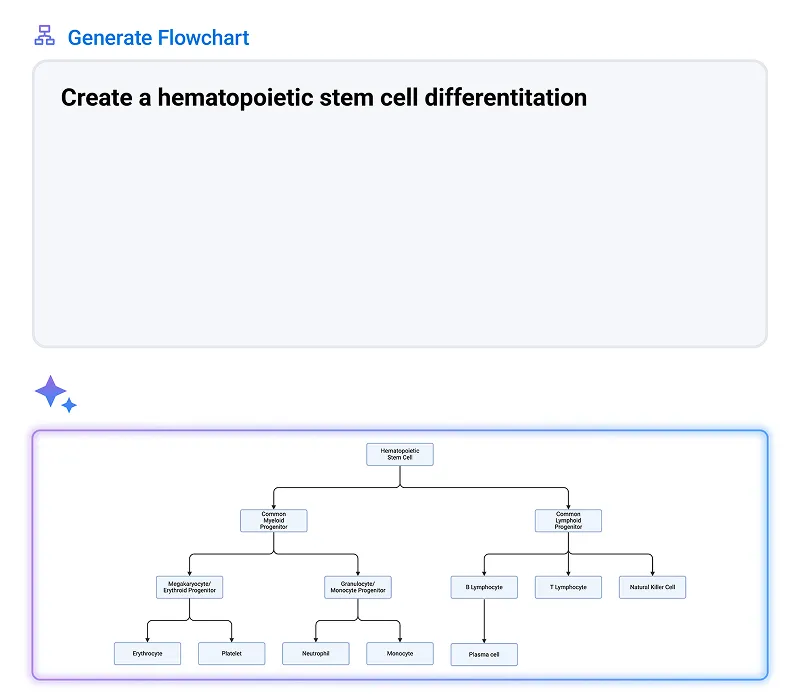
Flowchart
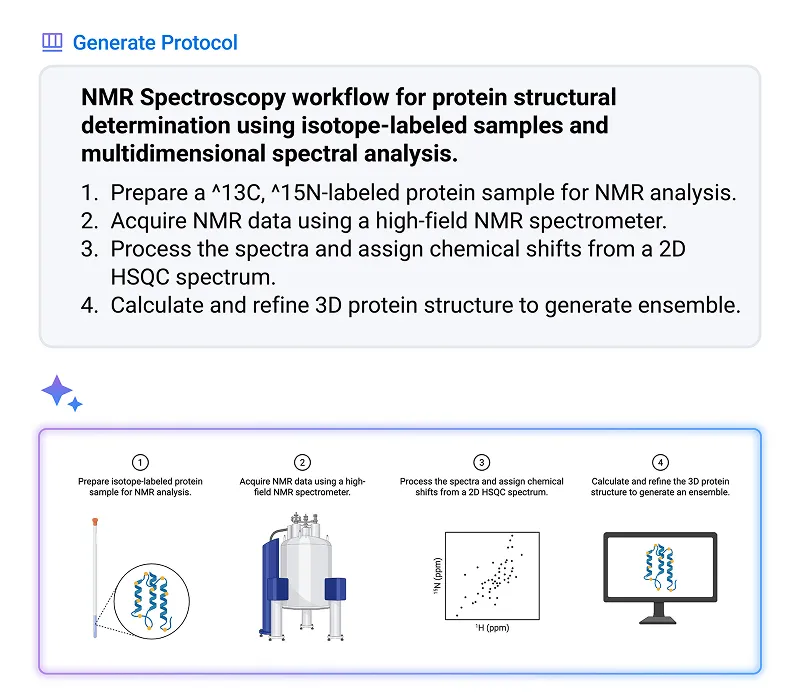
Protocol
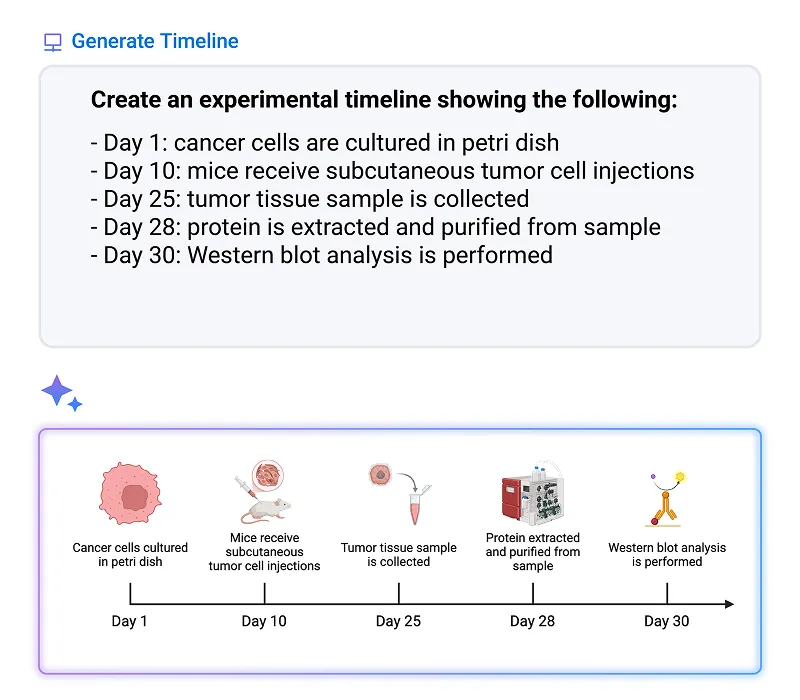
Timeline

AI built with security in mind
When to use AI for scientific figures

Generating ideas

Presenting internally

Submitting to certain journals and grants
Read more about AI

Navigating AI in Scientific Research
How and when to use AI in your research content.

Is AI hurting scientific credibility?
What 1,000+ scientists and reviewers say about responsible use in grants and papers.

AI built with security in mind
Your content is protected with the same security and privacy standards as all data in our systems. We do not use user-uploaded or created Customer content (e.g. user-created files, uploads) to train our models without your knowledge.
FAQs
No, your prompts, conversations, uploads, and figures aren't used to train BioRender's AI models or our AI providers' models without your consent. Learn more in our Trust Center.
AI outputs are strong starting points, but we always recommend reviewing before use in formal or research settings.
Leo gives you a strong starting point, but it doesn't guarantee your science is accurate. You know your science best, so review the figure before you use it. Because every element is editable, you can fix anything that's off in a click.
Our protocol, timeline, and flowchart generator tools pull from our library of scientifically vetted icons and figures, making them more accurate than general AI tools out of the gate.
BioRender uses enterprise versions of leading AI models, selected for their technical capabilities and strong security and privacy standards. You can see exactly which ones in our subprocessor list at security.biorender.com.
Yes, when you use Leo, you can change any label, swap an icon, or move an arrow yourself, or ask Leo to change one part for you.
Our protocol, timeline, and flowchart generator tools are built from BioRender components, so they remain fully editable. Images made with Make your own icon tools and custom figure generator result in flat PNGs, which can be further refined using our AI image editing tools.
You purchase what you need and use it at your own pace. You can purchase more at any time. AI usage can also be pooled and allocated across your team. For managed teams, reach out to your BioRender representative to purchase AI usage. More details are available here.


